Generating OpenAPI and PostMan Collections with Q
Generating out descriptive schema for your existing applications that AI can well.
Working on a Grails API application, I am using with BurpSuite DAST to do some security testing on a regular basis for it. I’ve needed an API list of endpoints for their API security scan feature for quite some time, that’s easy to maintain. We don’t have any maps of the APIs, annoying, so I thought I would ask Amazon Q to make OpenAPI bill of endpoints as well as a Postman collection of them for good measure.
OpenAPI is a specification for making a kind of “schema” for your APIs.
Postman is a tool for building and testing APIS.
BurpSuite DAST – dynamic application security testing – is owned by PortSwigger. It’s good for penetration testing.
Here are the prompts I asked after opening my project:
- can you make a postman collect of the apis in <myproject>
- can you also make an OpenAI 3.0 definition, both json and yaml
Voila – have my three files.
BurpSuite added an extra selection for an API scan type, and I hadn’t been able to use it until I had the catalog of API endpoints.
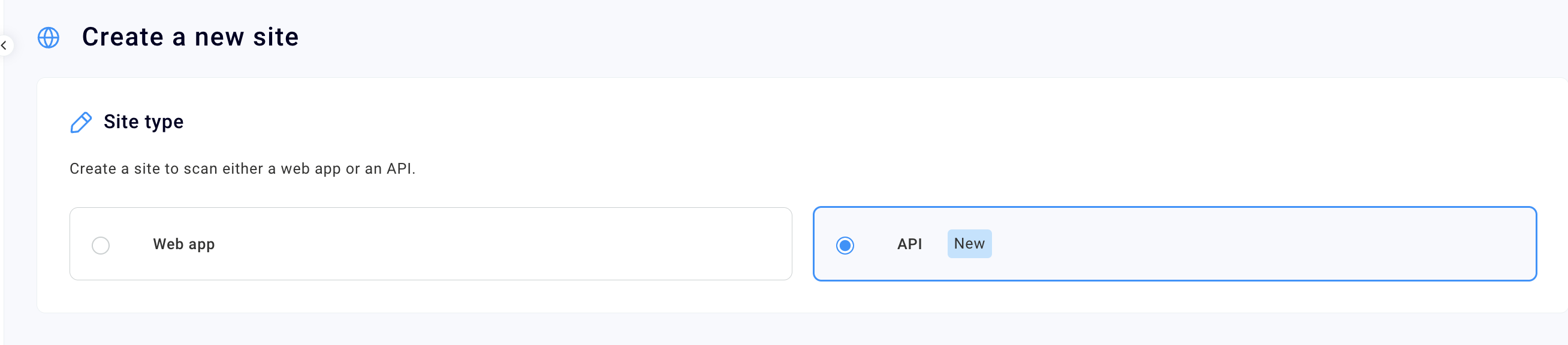
BurpSuite can take these formats to describe APIs:
SOAP WSDL, Postman Collection, or an OpenAPI definition in YAML or JSON format.

I like to work with yaml files as I work with some devops type things, Docker, and AI Specs (that use markup, I find more akin to yaml). But for grins I generated out both formats, and then the Postman collection. I didn’t try the wsdl.
Example content:
openapi: 3.0.0
info:
  title: Product Management API
  version: 1.0.0
  description: A sample API for managing products.
servers:
  - url: https://api.example.com/v1
    description: Production server
  - url: http://localhost:8080/v1
    description: Development server
tags:
  - name: Products
    description: Operations related to products
paths:
  /products:
    get:
      tags:
        - Products
      summary: Get all products
      operationId: getAllProducts
      responses:
        '200':
          description: A list of products
          content:
            application/json:
              schema:
                type: array
                items:
                  $ref: '#/components/schemas/Product'
    post:
      tags:
        - Products
      summary: Create a new product
      operationId: createProduct
      requestBody:
        required: true
        content:
          application/json:
            schema:
              $ref: '#/components/schemas/NewProduct'
      responses:
        '201':
          description: Product created successfully
          content:
            application/json:
              schema:
                $ref: '#/components/schemas/Product'

< and so forth .... >
Here’s the file loaded into BurpSuite:

Then you can add authentication if you need to:

The Postman collection looks like this. It actually can import an OpenAPI spec and output a Postman collection.
	"info": {
		"_postman_id": "e2c42dd8-dabe-44fd-b90c-9136d35d9167",
		"name": "Product Management API",
		"description": "A sample API for managing products.",
		"schema": "https://schema.getpostman.com/json/collection/v2.1.0/collection.json",
		"_exporter_id": "6514261"
	},
	"item": [
		{
			"name": "products",
			"item": [
				{
					"name": "{productId}",
					"item": [
						{
							"name": "Get a product by ID",
< and so forth ... >
Postman Collection loaded into Postman tool — ready for use:

So anyway, after you have this all loaded up into BurpSuite — you can run your scan job on the endpoints and hopefully nothing major to fix.

The product test file I generated with the AI in my Chrome browser is in the following file. You can test BurpSuite with it or import it into Postman.