Opera With Chrome Plugins
Firefox. Dang it.
Coding some javascript and waiting for a build, I was checking out my OK Cupid profile and wiped my Chick-Fil-A grease on my LA Clippers t-shirt when someone walked up and said –
“OMG!!! You are using Firefox! What a moral outrage!”
Crap. Can’t win here. Time for a new third browser. I have to use IE (reality) and Chrome. IE, sigh. Good ideas, bad implementation like a Corvair. Oops that’s non-PC too. Wait were Corvairs bad cars? Can’t remember.
Believe it or not I work in the stone ages and can’t install Safari on my Win 7 machine. You need admin rights for that. I know, crazy – a developer without admin rights????; my setup starts with what the front desk has which is so nuts. But . . . I CAN install Opera. And Opera is kinda neat because it’s a *version* of Google Chrome and is also my mobile browser of choice.
For a long time I didn’t do this because I couldn’t install any good plugins but this has changed – Opera 20 has a plugin that let’s you install Chrome plugins.
The two I absolutely need (besides developer’s stuff):
- Xmarks — very implement for sharing project links between browsers, especially during testing. And the profiles are awesome. I organinze my research in folders this way too.
- Controlled Multi-tab Browsing — this lets me limit my browsers to 9 tabs. I am an infernal tab opener, and I read at Lifehacker.com that all’s you need are 9 tabs max — and I’m following that right now. And seriously it’s a big help.
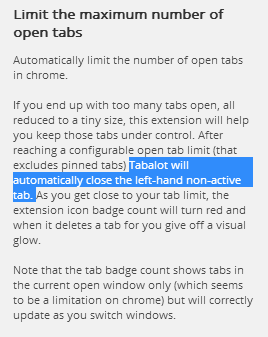
Be careful about the multitab limit plugins. There’s another Chrome one I cannot recommend called Tabalot that does this (explicitly from their plugin site):
After reaching a configurable open tab limit (that excludes pinned tabs) Tabalot will automatically close the left-hand non-active tab.
There’s no prompt or anything as of this date – just closes the darn tab. Sounded great until it closed a Google Doc I keep open all day and I lost my information for the day.
—
So anyway in Opera you can install Chrome plugins. It’s a big deal to *me* because XMarks doesn’t have a deployment for Opera. To do this you need to first install a plugin called Chrome Extension. Here are the steps:
- Install Opera’s Chrome Extension.
- Install your favorite Chrome Plugins – Opera will be treated like Chrome because they are based on the same WebKit core – as is Safari.
- Xmarks will work properly in Opera (or it has for me in version 20). Joy of Joys.
Now when these politics and religion talking people come sauntering around they’ll just see me with Opera, Chrome and IE.
But did I uninstall Firefox? Heck no. Never know when it might be PC again and Chrome be the next offender. I’m even keeping Sea Monkey on my PortableApps just in case someone sees me shopping at Walmart or the Co-op and complains about my browser.
I guess there’s always wget.